Specialized agents for every part of your GTM
Run Claygents that reason over your data to tackle a specific job, and see exactly why they do what they do.

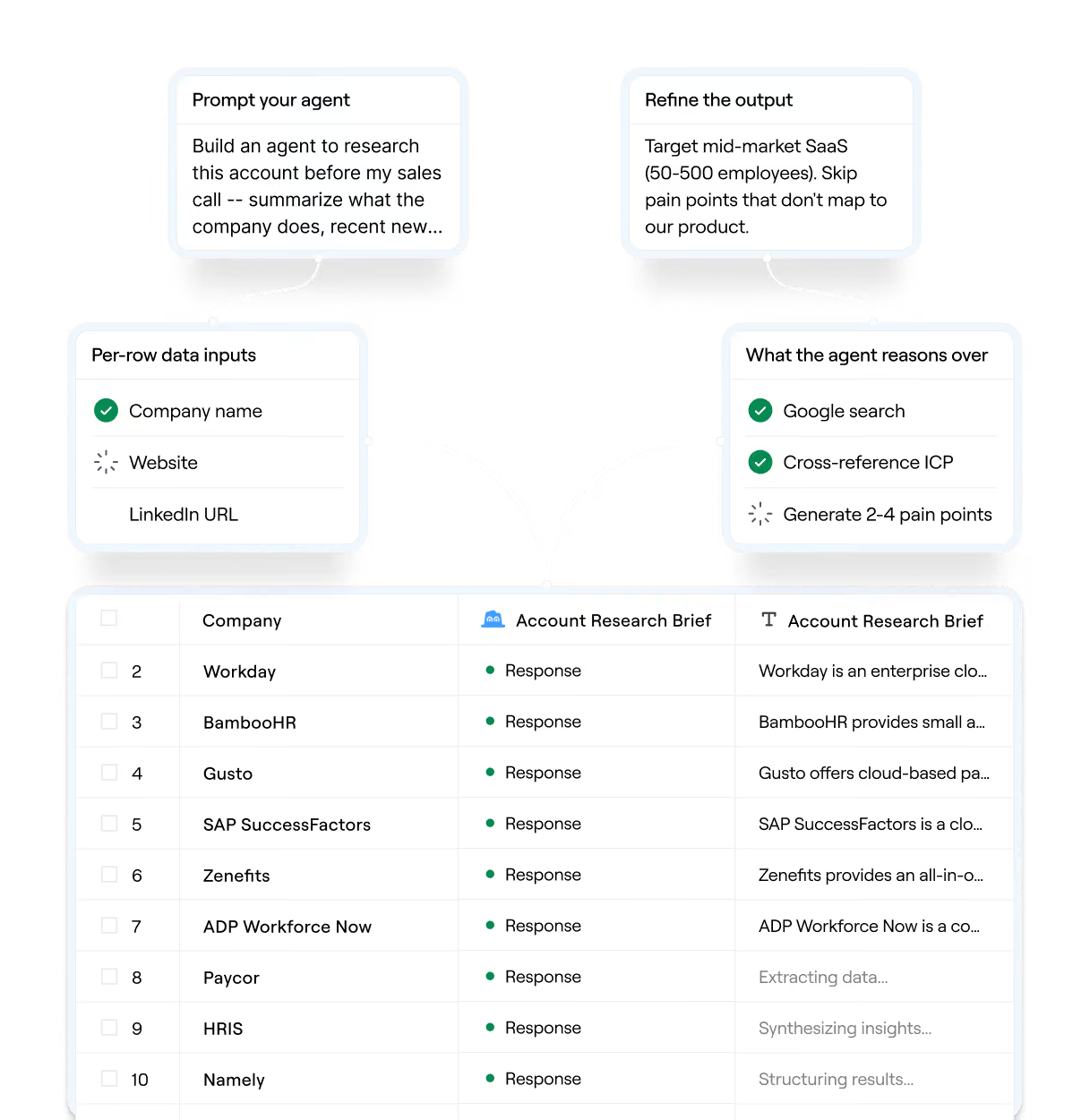
Agents built on your entire GTM context
Research accounts, iterate on prompts in real time, and monitor your book of business — with full visibility into every agent's decision.
Find unique data no provider has
Point Claygent at any manual GTM task like company research, lead qualification, signal detection. Get back structured data for custom plays, whether it’s niche company attributes, buying triggers, org changes, or contact info.
Close the gap between insight and action
Toggle on account context, and a Claygent synthesizes data from your CRM, data warehouse, Gong calls, and other signals in Audiences. Then, use the research to inform the next best action in your GTM plays.
Test and iterate on prompts
Describe what you want in natural language, test against real data, and roll back instantly if needed. Changes you make to the prompt update everywhere that the agent runs.
Glass box, not black box
Every Claygent decision comes with a full reasoning trace. Get a full view of your spend and errors for Claygents with account context in Audiences.

What our customers say about us
"Clay auto-enriches contacts with accurate addresses for our gifting program, saving half the time of our growth team."

"Clay-built lists helped identify over 55% of revenue sold with Agent Analytics (our new product) in its first quarter, driving two-thirds of its pipeline"

"This market research analysis would have taken my team 3 months without Clay. It was enlightening to see how speedy you could get to a V1 answer."

FAQs about agents in Clay
What is a Claygent?
Claygents are agents in Clay that perform tasks on your behalf. They take inputs, follow your instructions, and write a structured output.
When you build a Claygent, you choose the type that fits the job. This includes:
- General purpose Claygents that run in Tables and Workflows
- Account Agents that run in Audiences and Workflows across every account in a segment
How do I know which Claygent to use?
Here’s some quick rules of thumb of when to use a general-purpose Claygent vs. an Account Agent:
What are the main use cases for Claygent?
Agents in Clay can be used flexibly for many GTM use cases - ones we frequently see from customers building in tables include:
- Account research & meeting prep so you go into calls with the right context on your prospects/customers
- Discovery & finding bespoke data in the form of web research, niche signals, proprietary data points
- Personalized outbound to run campaigns at scale
- Scoring & qualification on large prospect lists based on criteria unique to your business
For plays that you need to run at scale, try using an Account Agent over Audiences instead.
When do I use Claygent vs. “Use AI” in a table?
“Use AI” is for offline tasks like content generation. This could include tasks like copywriting, tone-matching, and categorizing existing data.
Meanwhile, Claygent has access to a range of tools that allow you to do more “last-mile” research. For example, web access allows your Claygent to do more real-time research. This could include tasks like analyzing competitor homepages or extract deeper firmographic context.
How much do agents in Clay cost?
Claygents in tables are available in all plan tiers. Account Agents (in beta) are available for Enterprise, Growth, and Launch plans only.
For all agents in Clay, customers are charged on the actual complexity and token usage of their requests. There are two components to the pricing:
- Data credits: Variable pricing for advanced reasoning models; fixed pricing for Clay’s own models and standard content generation. (See our model pricing reference)
- Action: 1 action per AI prompt
For Account Agents, data credits are variable pricing only and 1 action is charged per record processed by the agent. Exports to the CRM or data warehouse have no additional charge.